Client, support or dual: choosing the agent role
Every LRO agent runs in one of three roles. The role decides which side of a tunnel the agent can play, so picking the right one is the difference between a tunnel that connects and one that never comes up. The names come from the original remote-support use case; here is what they actually mean.
The three roles
| Role | Runs on | What it does |
|---|---|---|
| Client remote network |
The machine that hosts the service you want to reach. | Connects out to the target service on that machine and carries the tunnel’s traffic to it. Endpoints are defined on a client. |
| Support tech specialist |
The machine you sit at and connect from. | Opens the local listener. You point your tool at localhost:<port> here and the traffic is carried to the service. |
| Dual client + support |
One machine that needs to be both. | Acts as client and support at the same time — e.g. a hub that both exposes its own services and reaches others. |
Pick the role when you register
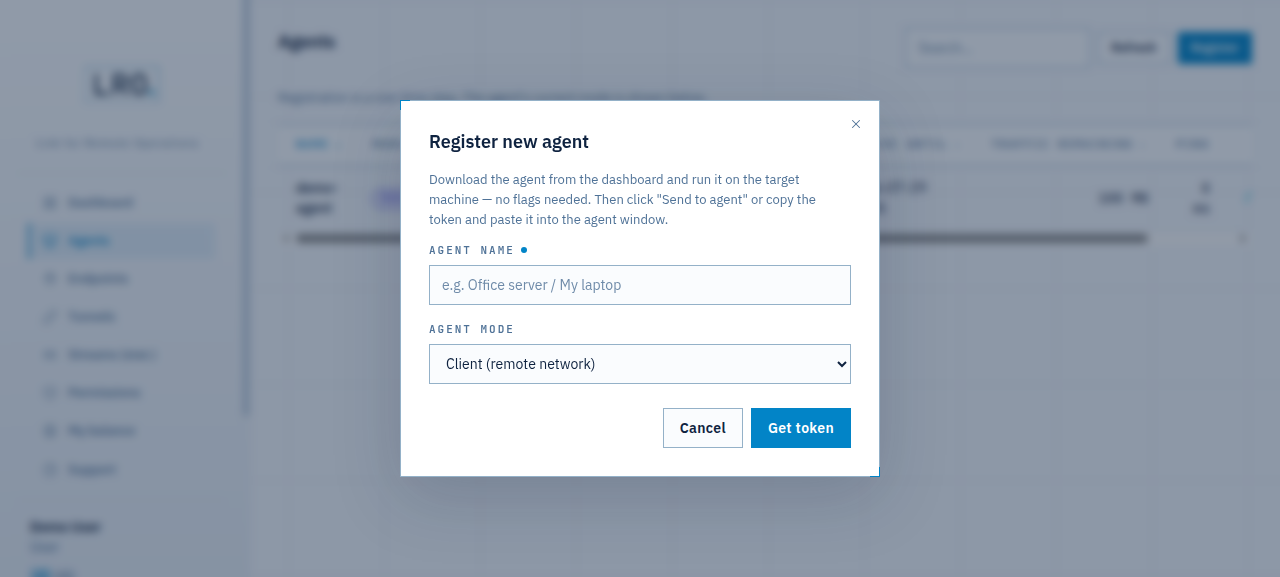
When you register an agent (Agents → Register), choose the mode in the Agent mode dropdown before you get the token. The exact labels are Client (remote network), Support (tech specialist) and Dual (client + support).
The Agents list then shows each agent’s current mode at a glance:
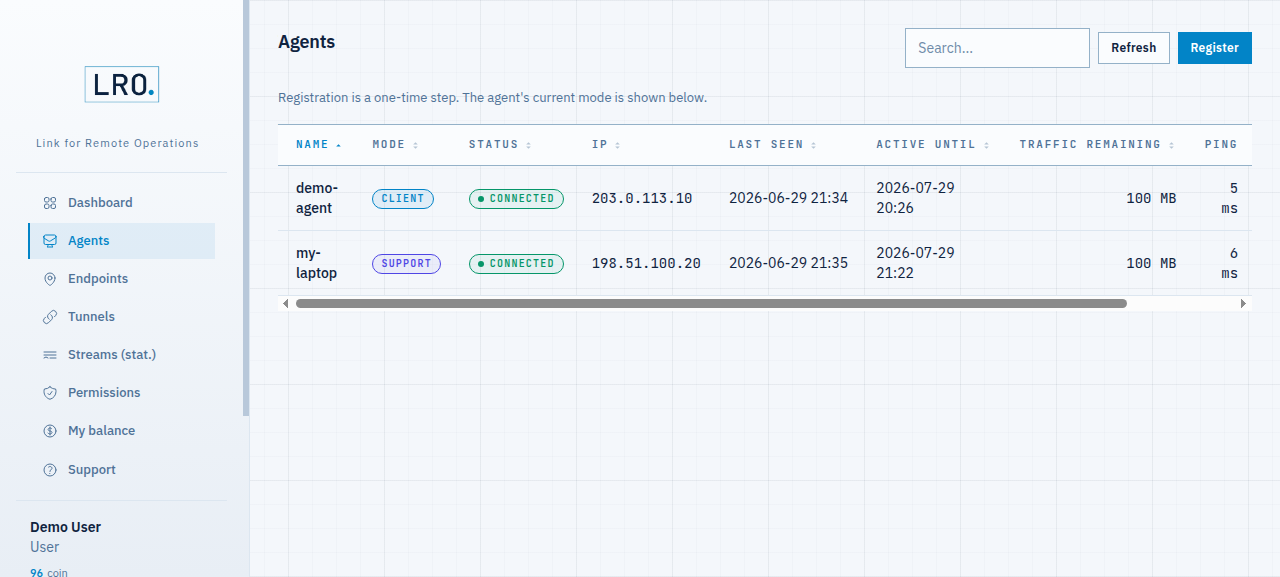
Change a running agent’s role
You do not have to re-register to change a role. Open the agent, and on the Overview tab use Switch to Client / Support / Dual. The change is pushed to the agent live.
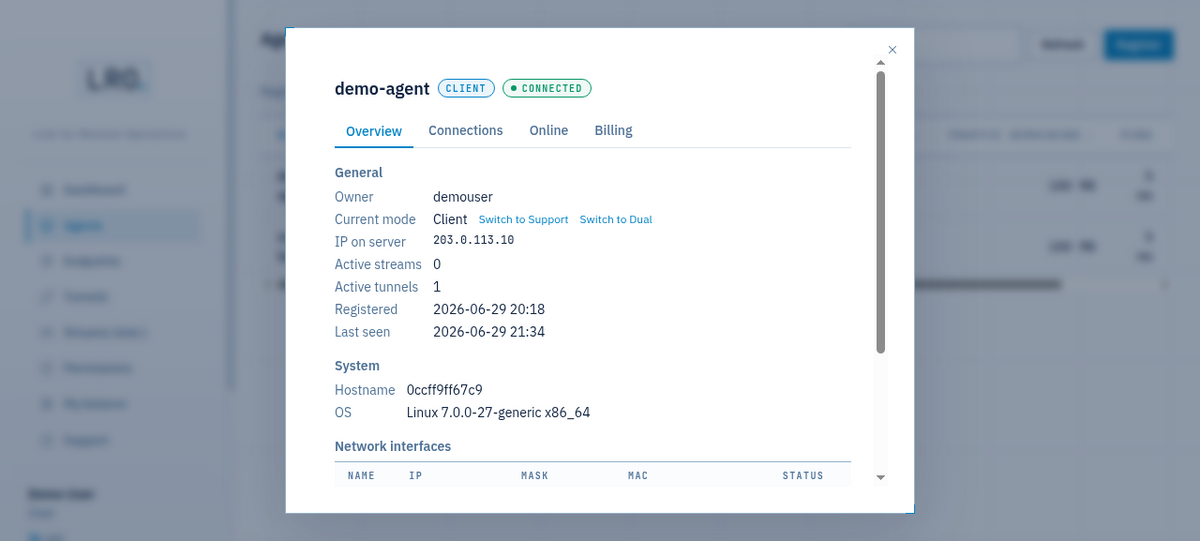
There are two ways to set the operating mode, and they interact:
- From the panel (the buttons above). An agent started without a forced mode follows whatever the panel says.
- On the agent, with a flag:
lro --mode client|support|dual. A forced mode wins — the agent ignores panel switches and re-asserts the flag. Use it to pin a machine to one role.
Which role do I pick?
- You want to reach a service on a remote box (its SSH, web panel, database)? That box is the Client; define its service as an endpoint there.
- The machine is your own, where you will run
ssh/ a browser / a DB client against a local port? That is the Support. - One machine must do both — host something and reach elsewhere? Use Dual.
Core only routes the matching commands to each role — a client is asked to open channels, a support to open listeners — so a mismatched role simply will not bind a tunnel.
Know your roles? Open a tunnel end to end.
Your first tunnel →